OverMobile
Android Kaspa miner. Real kHeavyHash mining on your phone, with optional OverManager integration for remote monitoring and control.
Native ARM mining. Stratum v1. Thermal-aware. Open source. MIT licensed.
Features
True Mobile Mining
Native kHeavyHash miner ported from KASDeck ESP32, compiled for arm64-v8a, armeabi-v7a, and x86_64. Real mining, not simulated.
Thermal Aware
Automatic throttling pauses mining at critical temperatures. Monitors CPU temp, battery level, and thermal state in real time.
OverManager Ready
Pair with OverManager using a 6-digit code for remote telemetry and command execution from your desktop.
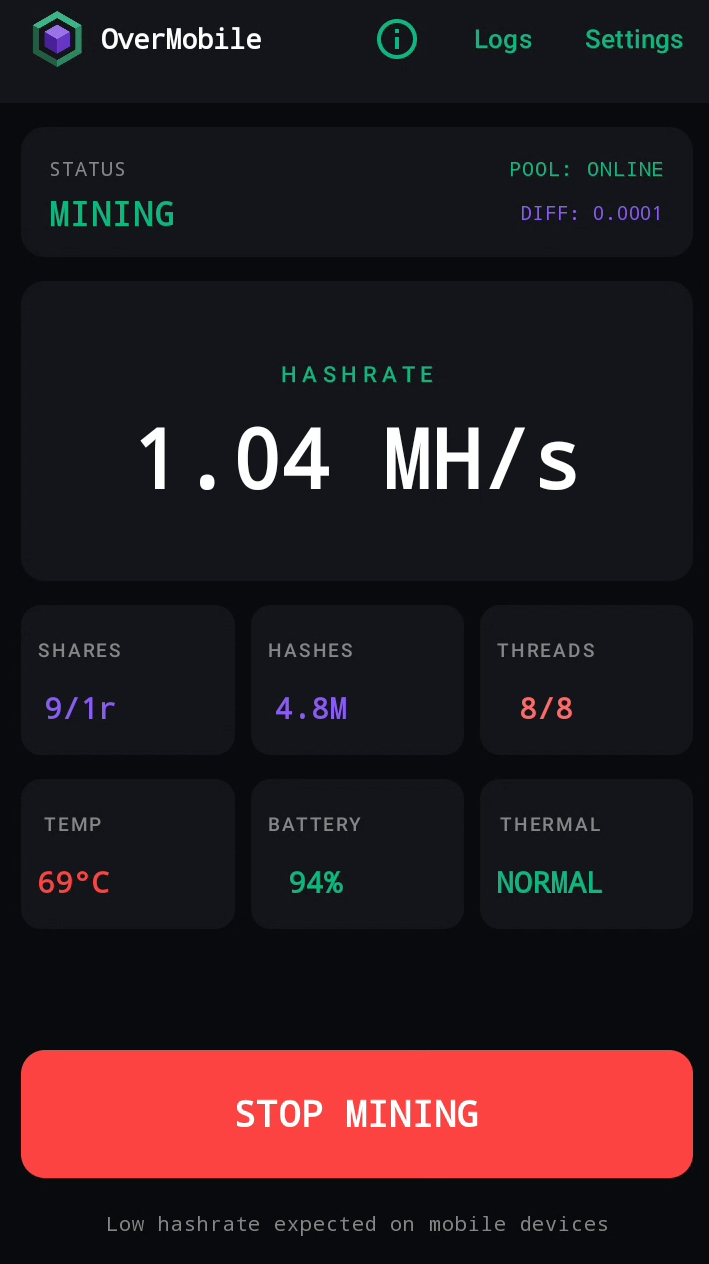
Main Dashboard
Live hashrate, shares, temp, battery
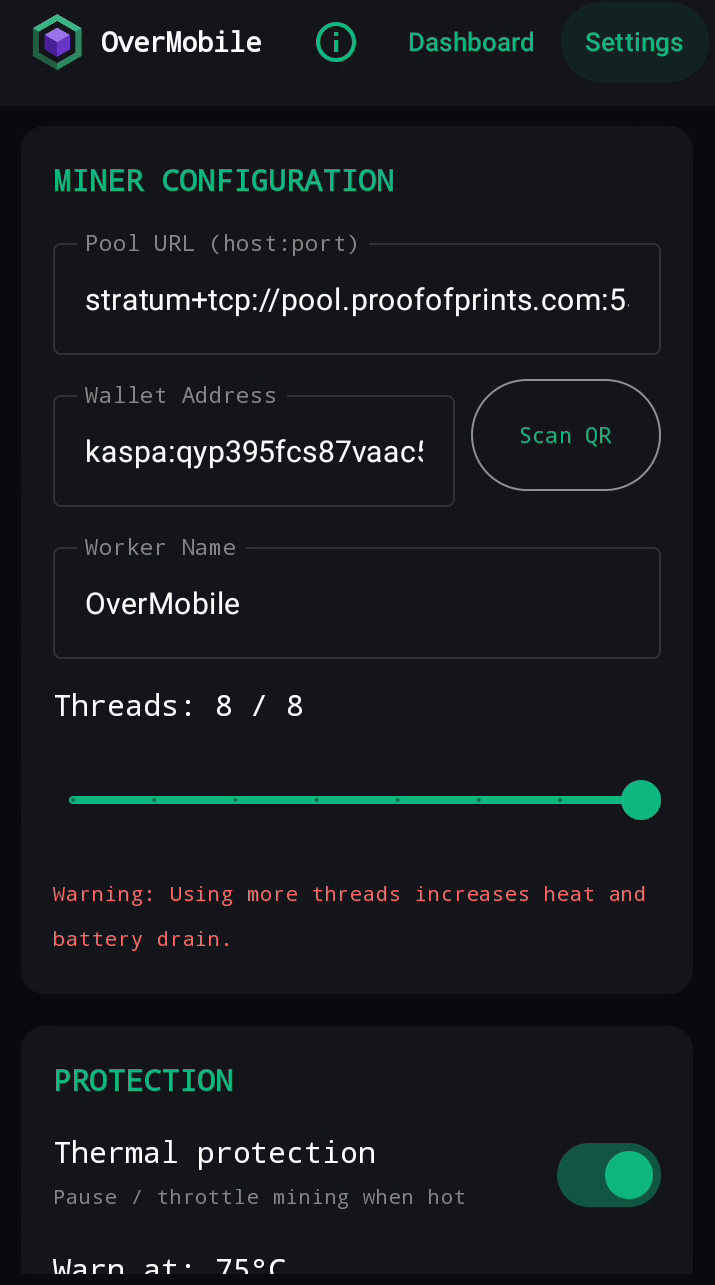
Settings
Pool, wallet, threads, OverManager
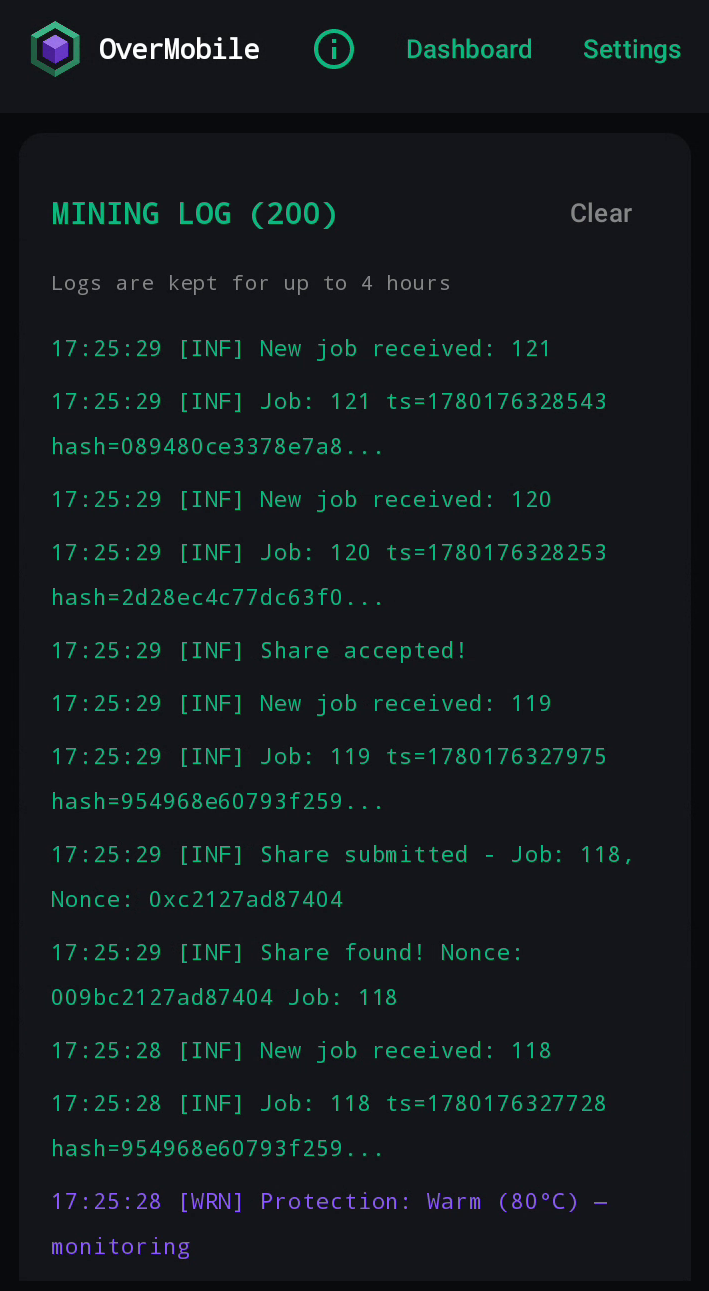
Mining Log
Stratum and hashing events
Stratum v1 Client
- Full mining.subscribe, mining.authorize, mining.submit support
- Extranonce support for solo mining pool compatibility
- 10-second connection timeout with cancellable retries
- Connection states: CONNECTING, CONNECTED, ERROR
- Clear error reasons: REFUSED, TIMED OUT, DNS FAILED, UNREACHABLE, NO NETWORK
Live Dashboard
- Real-time hashrate display
- Accepted / rejected share counters
- Total hashes and active thread count
- Battery percentage and CPU temperature
- Mining event log (last 4 hours)
QR Code Scanner
Offline, bundled ZXing scanner (no Play Services required). Supports multiple Kaspa address formats:
- kaspa:qyp…
- kaspa:kaspa:qyp…
- kaspa:qyp…?amount=1.5
All formats normalize to the bare Kaspa address on save.
System Management
- Foreground service for background mining
- Persistent notification with one-tap Stop action
- Thermal states: NORMAL, WARNING, THROTTLE, CRITICAL
- Configurable thread count (1 to CPU core max)
- Warning band for heavy thread settings
Installation & Setup
System Requirements
Device
- Android 8.0 (API 26) or newer
- ARMv7, ARM64, or x86_64 CPU
- Internet connection (WiFi or cellular)
- Kaspa wallet for payouts
Build from Source
- Android Studio or Gradle
- Android SDK API 26+
- JDK 11+
- Android NDK for native mining code
Note: v1 has been tested on the Android emulator and TCL A3X devices. Behavior on other Android versions and OEM skins is not yet verified. If you test on another device, please share your results on GitHub.
Download OverMobile
OverMobile is available as a sideloadable APK for Android 8.0+ devices, or via F-Droid and Obtainium for auto-updates.
Direct APK
From GitHub Releases
F-Droid
Community repository
Obtainium
Auto-update from GitHub
Quick Start
Install the APK, then follow the manual setup below. Pairing with OverManager is optional.
Step 1 — Download & Install
Download the APK from the GitHub Releases page. Enable Install unknown apps in Settings → Apps → Special app access, then tap the APK to install.
Manual Setup (Without OverManager)
- 1
Open OverMobile and go to Settings.
Enter the pool URL:
stratum+tcp://pool.overbuildlabs.com:5558 - 2
Enter a valid Kaspa address (starts with
kaspa:).You can paste it or tap the QR icon to scan.
- 3
Set a worker name.
Use a short label like
phone1— no spaces or special characters. - 4
Set the thread count.
Start with half your CPU cores. Increase for more hashrate, decrease if the device runs too hot.
- 5
Tap Save at the bottom of the Settings screen.
- 6
Go back to the Dashboard.
- 7
Tap Start Mining.
The dashboard will show your hashrate, temperature, battery, and share count.
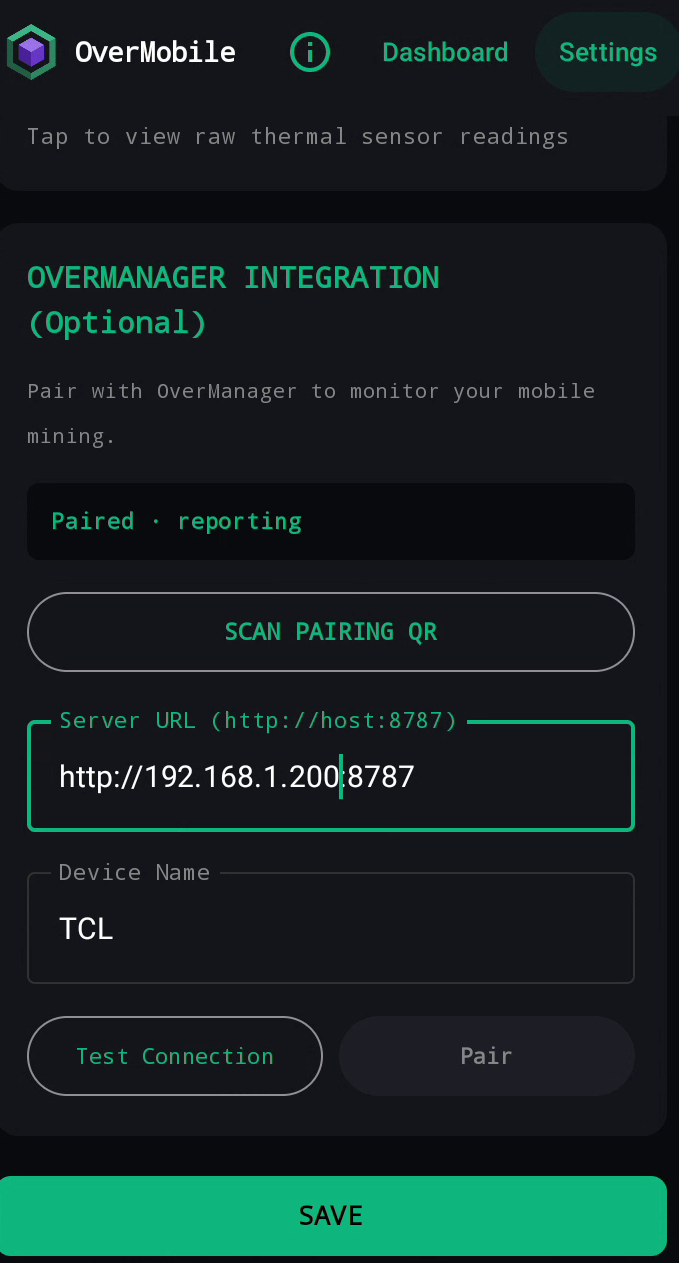
Optional: pair with OverManager for remote monitoring and control from your desktop — see the OverManager Integration section below for the step-by-step and screenshot.
OverManager Integration
Pair your OverMobile device with OverManager for remote monitoring and control.
Pairing Process
- 1In OverManager: Add Miner → Pairing Code, copy the 6-digit code.
- 2In OverMobile Settings → OverManager Integration, enter your server URL (e.g.,
http://<overmanager-host>:8787) and a device name. - 3Tap Pair and enter the 6-digit code.
- 4A green Paired · reporting badge appears. Your device shows up on OverManager's dashboard within ~30 seconds.
Telemetry (every 30s)
- • Hashrate, shares, total hashes
- • CPU temperature, battery %
- • Thermal state (NORMAL/WARNING/THROTTLE/CRITICAL)
- • Active / configured thread count
- • Pool URL, connection status, worker name
Remote Commands
- •
set_config— pool URL, wallet, worker name - •
set_threads— adjust thread count - •
start/stop/restartmining - • Acknowledgements persist across app kills
Source Code & Support
OverMobile is fully open source under the MIT License. Report bugs, suggest features, or contribute on GitHub.